
Disclosure: This post may contain affiliate links. I earn a small commission of product sales to keep this website going.
Fujifilm cameras have some of the strongest manual focus tools available today. They blend modern digital aids with the same principles photographers used on classic film cameras. Even with excellent autofocus on current models, there are still plenty of times when manual focus is the smarter, faster, or more reliable option.
This guide covers the main Manual Focus Assist tools in Fujifilm cameras, how they work, and when to use them.
When Manual Focus Is the Better Choice
Fujifilm’s autofocus has improved dramatically, but autofocus is not perfect in every situation. Manual focus is often more dependable when:
- You want maximum foreground to background sharpness in landscapes
- Your distance from the subject is fixed, and you want to work quickly
- The scene has low contrast or low light that confuses AF
- You are working with a very shallow depth of field and need precise control
- You want consistency from frame to frame without AF hunting
Mirrorless tools like focus peaking and magnification only make manual focus easier.
Using Back-Button Focus in Manual Focus Mode
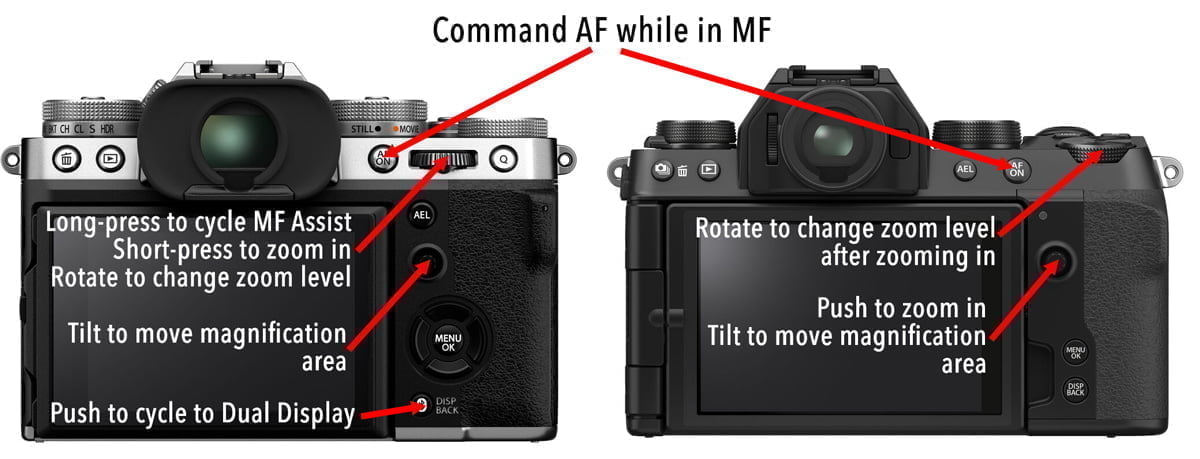
One of the best features in Fujifilm’s MF workflow is the ability to use autofocus while staying in Manual Focus mode. Pressing the AF-L or AF-ON button (unless reassigned) will quickly focus on your subject. You can then recompose and shoot without worrying about the camera refocusing elsewhere.
This is ideal for portraits, landscapes, static subjects, and any situation where you want the precision of manual focus but the convenience of autofocus when needed.
Fujifilm’s Manual Focus Assist Modes
Most Fujifilm cameras offer four focus assist tools:
- Standard (no overlay)
- Focus Peak Highlight
- Digital Split Image
- Digital Microprism
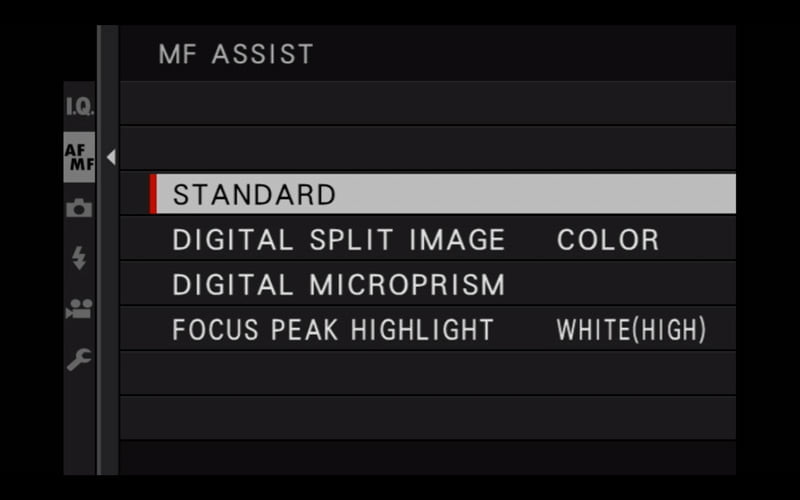
You can cycle through these by long-pressing the rear command dial on cameras that support it. Cameras without a pushable rear dial (such as the X-S10, X-E4, and X-H2/H2S) require using the MF Assist menu.
Here is an overview of which modes appear in which cameras:
| Focus Peaking | Digital Split Image | Digital Microprism | Dual Display | |
|---|---|---|---|---|
| X-T3, X-T4, X-T5 | X | X | X | X |
| X-H2/H2S | X | X | X | X |
| X-T30/II/III, X-T50 | X | X | X | |
| X-Pro3 | X | X | X | X (ERF) |
| X-E3 | X | X | ||
| X-E4, X-E5 | X | X | X | |
| X-S10, X-S20 | X | X | X | |
| X100F | X | X | ||
| X100V, X100VI | X | X | X | X (ERF) |
1. Standard (Off)
This gives you a clean, unobstructed view with no overlays. It works well when the other aids are distracting or when you prefer to rely on magnification.
Pair it with zoom magnification or Dual Display for accuracy.
2. Focus Peak Highlight
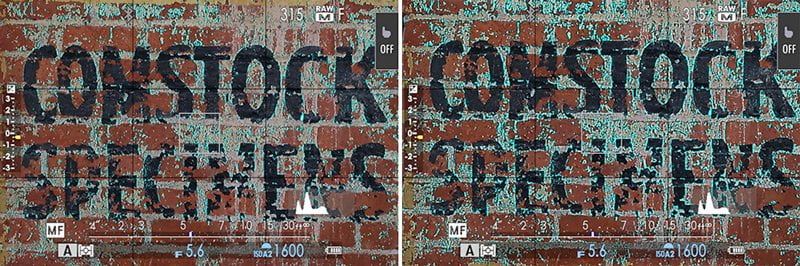
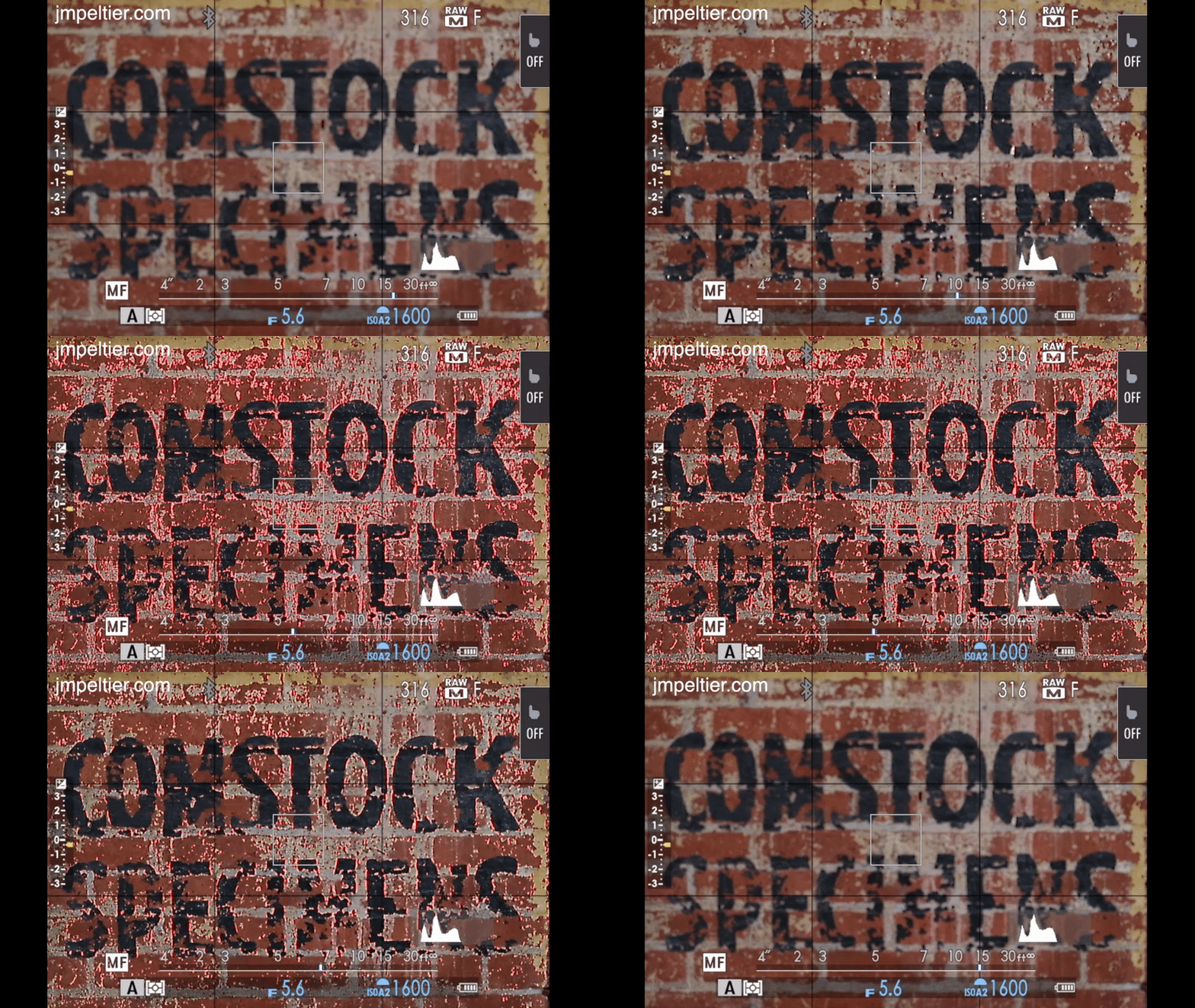
Focus peaking highlights the edges of areas that are in focus. Fujifilm lets you choose both color and sensitivity.
You can adjust this in: AF/MF Setting > MF Assist > Focus Peak Highlight
Available colors usually include red, blue, yellow, and white. High vs. Low changes how sensitive the highlight is.
Most photographers prefer red or blue because they are visible against many backgrounds.
When to use Focus Peaking
- Portraits where you need to confirm the eye is sharp
- Scenes without strong lines or hard edges
- Low light situations
- General-purpose manual focus
It works in almost any scenario.
Here’s Focus Peaking (red, high) as seen on an X-T30 LCD:
3. Digital Split Image
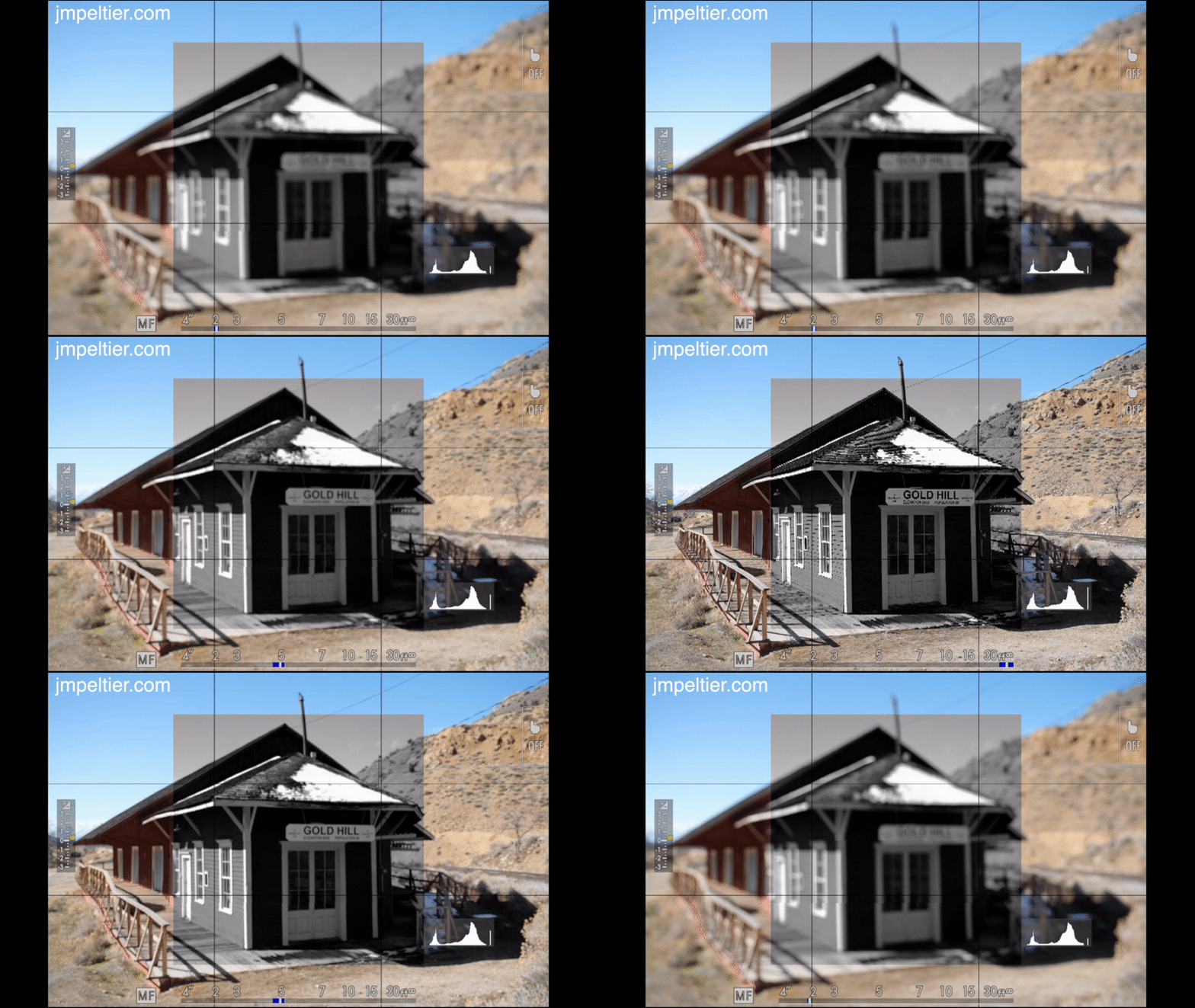
This mode mimics the split-prism focusing screens used in film SLRs. When the subject is out of focus, vertical lines appear broken. As focus improves, the lines align.
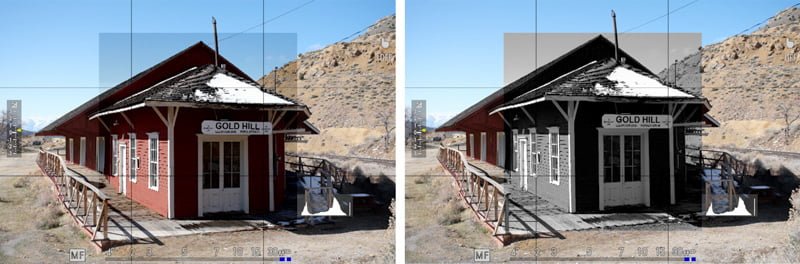
You can choose a color or monochrome split image. Monochrome tends to be easier to read.
Adjust this in: AF/MF Setting > MF Assist > Digital Split Image
When to use Split Image
- Architecture
- Geometric subjects
- Scenes with defined straight edges
It is not ideal for portraits or soft, low-contrast subjects.
Split Image becomes much easier to use when magnified.
Here’s the Digital Split Image as seen through an X-T30 EVF:
4. Digital Microprism
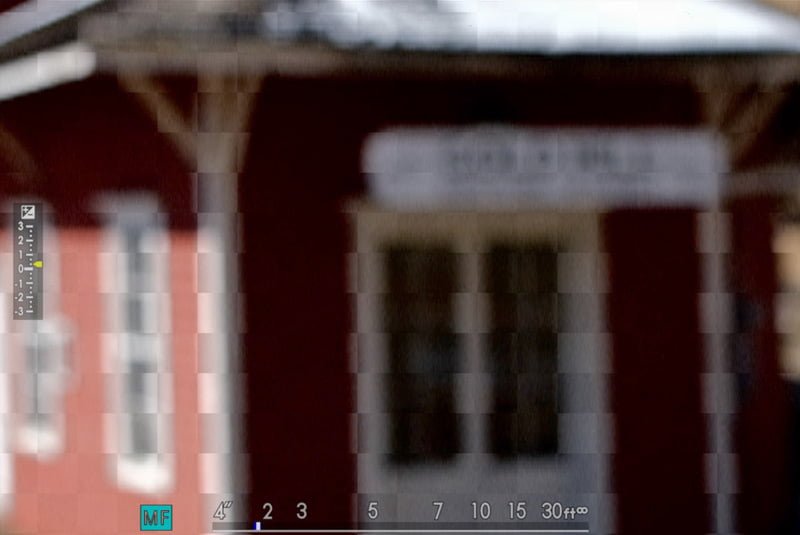
Microprism is a more recent addition. It works like a cluster of small split-image cells. When out of focus, the microprism area sparkles or shimmers. As focus improves, the texture clears up.
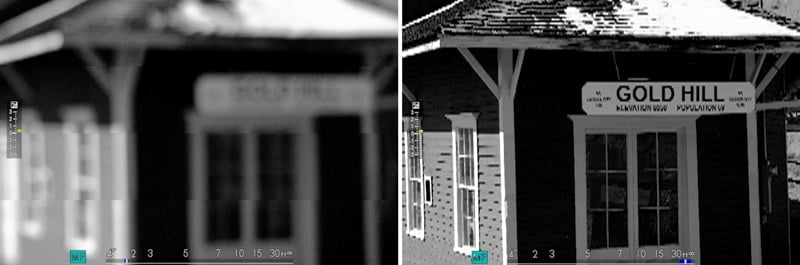
This is often the easiest tool to use once you get the feel for it.
When to use Digital Microprism
- General manual focus
- Subjects with texture
- Situations where peaking feels too busy
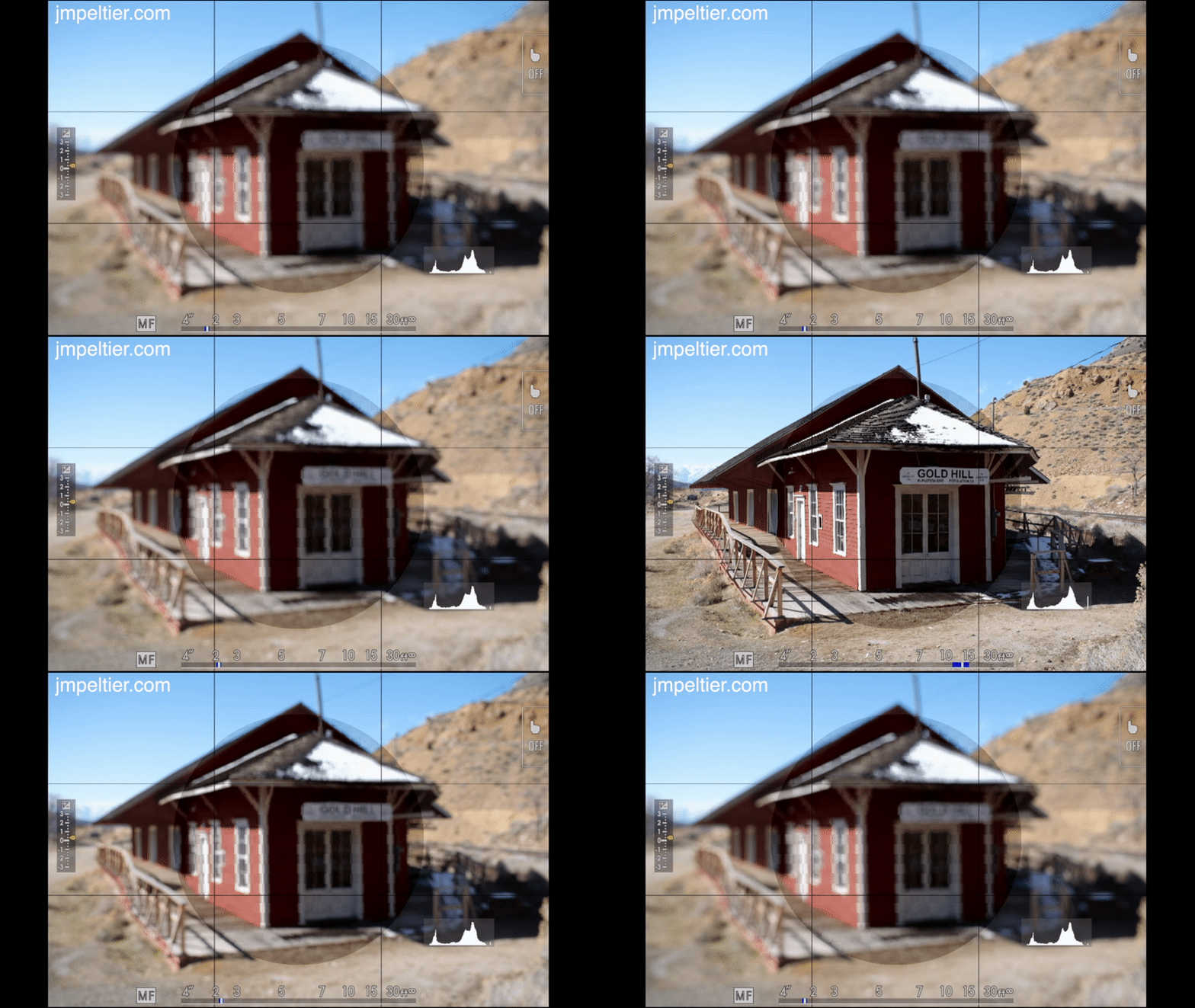
Magnification helps Digital Microprism significantly:
Other Useful Manual Focus Tools on Fujifilm
Focus Scale Indicator
In Manual Focus mode, you can enable a distance and depth of field scale.
Turn this on in: Screen Setup > Disp. Custom Setting > MF Distance Indicator
The blue bar represents the estimated depth of field. Set it to Film Format Basis for practical zone focusing.
This tool is excellent for street photography and landscapes.
Dual Display (select cameras)
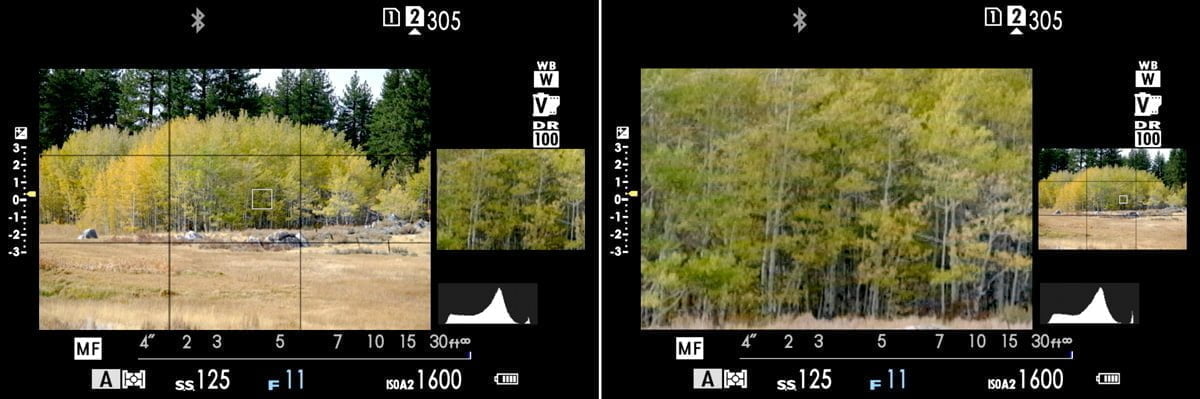
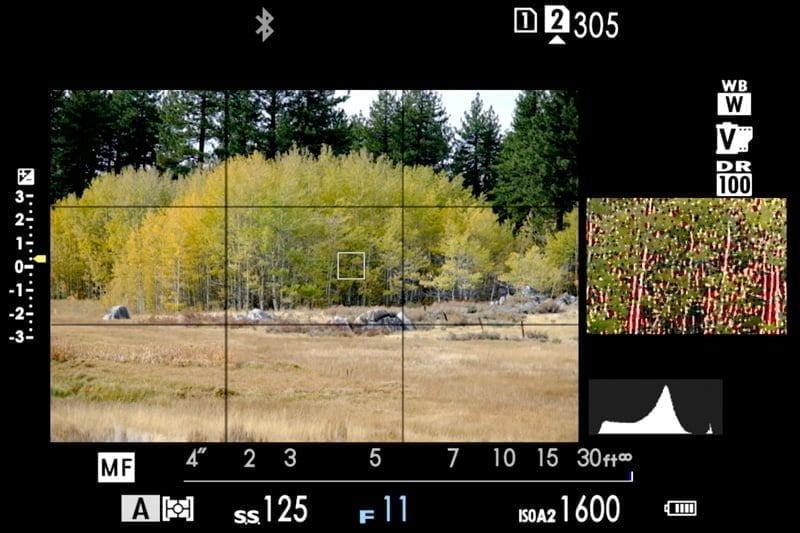
Dual Display shows a full composition window and a magnified window at the same time. This is available on the X-T3/4/5, X-H2/H2S, and a few others.
To activate it, cycle the DISP button while in MF.
You can move the magnified area with the joystick and use peaking or microprism inside it.
Electronic Rangefinder (X-Pro and X100 cameras)
The Electronic Rangefinder places a small EVF window inside the optical viewfinder. Cycle the OVF/EVF selector until the overlay appears. This gives you the feel of a traditional rangefinder with digital confirmation.
Focus Zoom Magnification
Regardless of which assist mode you use, zoom magnification is the most accurate way to check focus.
How to activate zoom:
- On cameras with a pushable rear command dial, press the dial
- On models without a pushable dial, set the joystick push to ZOOM in Button/Dial Setting
- You might also be able to enable a double-tap Zoom feature in the Touch Screen Setting submenu
Focus zoom works in both MF and AF.
Focus Check
Focus Check automatically zooms in whenever you turn the focus ring.
Enable or disable in: AF/MF Setting > Focus Check
Some photographers prefer full manual control over magnification, so this is a personal preference. Be ready for the composition jump as soon as you touch that MF ring.
Final Thoughts
Fujifilm’s Manual Focus Assist tools are some of the best available today. Each mode has strengths, and the key is knowing when to use which tool. Combine these assists with magnification, the distance scale, and back-button focus, and manual focus becomes fast and reliable.
If you want to learn how to set up your specific Fujifilm camera or streamline your manual focus workflow, you can browse the full list of Fujifilm courses here.
Have questions about any of the assist modes or how to use them in your own work? Add them below, and I’ll help you sort it out.
Loyd Law
Friday 30th of August 2024
Great article. Is the reason the MF Assist menu selection says STD and is greyed out (which means I cant select it) is that I’m using a 60 year old Leicaflex lens (with mount adapter) on my xt-30? So it Looks like I’m limited to STD. Note: The focus mode dial on front of camera is set to M and I’ve set up “Shoot without lens”. Auto switch on top of camera is set to off. Thanks.
Loyd Law
Friday 30th of August 2024
@John Peltier, that was it! So many thanks. Once I switched the drive dial mode to “S” that made that choice live, I.e., no longer greyed out. I owe you! I just bought your xt-30 course.
John Peltier
Friday 30th of August 2024
It doesn't matter which lens you're using since all of the work is being done in the camera, which doesn't need any information from the lens. I tried replicating this and could only get the MF Assist menu to be locked out in some of the drive modes like Multiple Exposure, Panorama, and Adv. Is your drive dial set to one of those?
Stefan Hiermaier
Saturday 27th of January 2024
Thank you for the detailed explanations, John. I use focus check a lit with manual lenses adapted to the GFX100II. I like it a lot but I am missing an option to stop the magnification when touching the shutter release bottom. Is there a way to enable this? Many thanks again, Stefan
John Peltier
Tuesday 6th of February 2024
Hi Stefan, unfortunately I don't see a setting for that in the manual. I haven't tried the GFX100II yet, but all my other cameras behave in the way that when the shutter is pressed halfway, it automatically goes back to the full composition. It might be a bug?
Rick
Saturday 12th of August 2023
Thanks for this article. I learned some things for my XH2. I just ordered a cone lens and of course it is manual focus and there are no electronic contacts to exchange information with the camera. Will the focus aid still work? That’s the one with the little arrow under the arc that turns green if in focus. Thanks again!
John Peltier
Monday 14th of August 2023
Unfortunately no, that MF assist, which is only found in Movie mode, requires focus information from the lens. All the others work though.
Rick
Saturday 12th of August 2023
@Rick, sorry … cinema lens. Not “cone”.
Nathan Fitzsimmons
Monday 7th of August 2023
Oof, I struggled with nailing focus with shallow depth of field when using (high) peaking only. This was a great explanation of the various options, thank you.
Inca
Monday 18th of July 2022
Useful. Thanks for putting it together.
Any idea how to stop the shutter button from AF? Tried everything I could find in the menus, following your notes, but still on AF-C or -S, the camera autofocuses when i half press on shutter during video.
Also, autofocus assist on MF does not work while in recording. Any workaround?
I am on an X-T3
John Peltier
Tuesday 19th of July 2022
This was all mostly written for still photographers. Your focus options are fairly limited for video, and it sounds like you'll need to be in Manual Focus for what you describe.