
Disclosure: This post may contain affiliate links. I earn a small commission of product sales to keep this website going.
This is one of the most common questions I get from new Fujifilm users: “How do I change the aperture on my Fuji camera?”
The confusion makes sense. Fujifilm offers:
- Aperture rings on many lenses
- Different command-dial behaviors
- Multiple Auto modes
- Multiple exposure modes
- Different menu settings depending on the camera generation
And the manuals…well, they scatter this information across several pages.
This guide puts everything in one place, in plain language, so you know exactly how to control your aperture with any Fujinon X or GF-mount lens.
Note: This covers Fujinon X and GF lenses. Third-party lenses follow their own barrel markings.
You Can Only Change Aperture in Manual or Aperture Priority
Before anything else, Fujifilm only lets you directly control the aperture when the camera is in:
- Aperture Priority (A)
- Manual (M)
If you see anything else – AUTO, S, P, scene icons – the camera controls the aperture for you. Read this article to learn more about Fujifilm exposure modes.
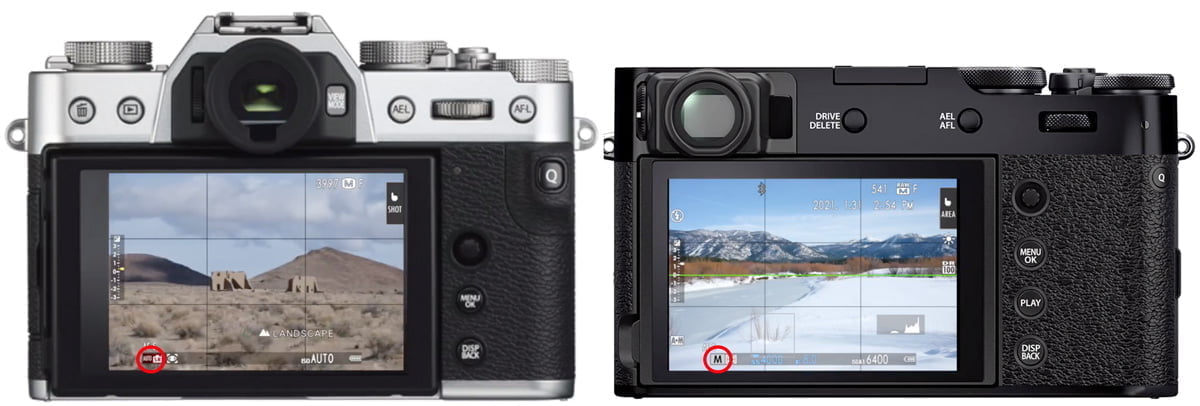
Quick visual check
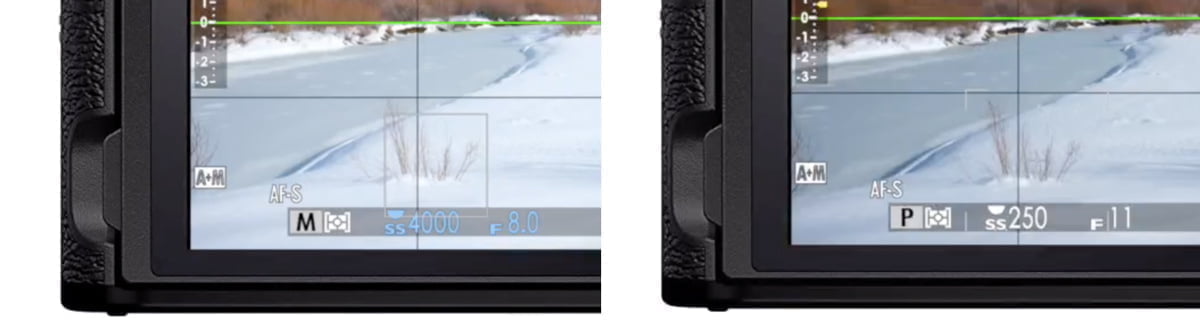
On Fuji cameras:
- Blue f-number = you control it
- White f-number = camera controls it
You may also see the “half-moon” icon, which tells you which command dial will adjust the aperture when using body controls.
Notes for specific camera types
- X-S20 / X-H2 / similar → use the Mode Dial and select A or M
- X-T50 / X-E3 / similar → flip the AUTO lever out of AUTO
- Most X bodies → simply move the aperture ring out of “A”
Once you’re in A or M, you can control the aperture through either the lens or the camera body.
How to Change Aperture Using the Camera
All Fujifilm bodies allow aperture control from the command dials, even if your lens has an aperture ring.
Your camera may offer up to three relevant settings in Button/Dial Settings:
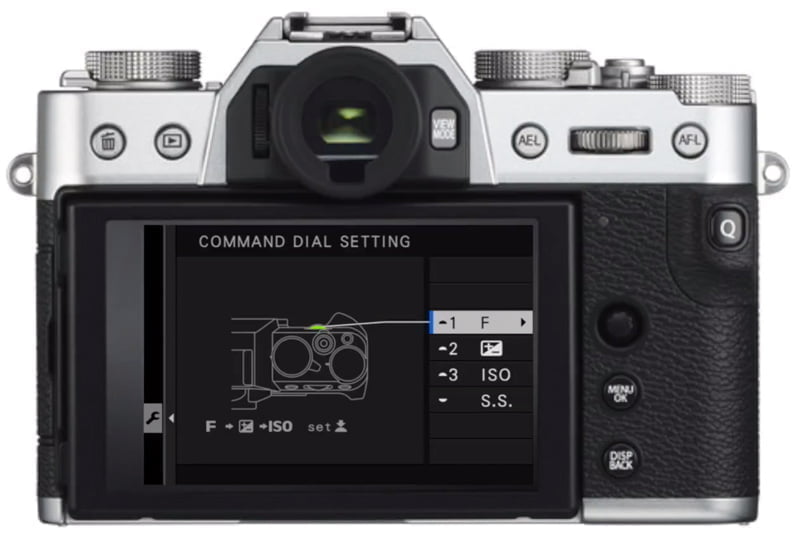
1. COMMAND DIAL SETTING
This determines what the front or rear command dials control.
Older bodies (X-T2, X-E3, X-H1):
- You can swap the front and rear dials
- One controls shutter speed; the other controls aperture
Newer bodies:
- You can assign the front command dial to multiple functions
- Aperture is shown as “F”
- Press the front dial to cycle between functions
- When “F” is highlighted, rotating the dial adjusts aperture
2. APERTURE SETTING (for lenses without aperture rings)
If your lens has no aperture ring (XC lenses, some power zooms), this menu determines how aperture works.
Options:
- AUTO + MANUAL
- Rotate the command dial for aperture changes
- You can still select Auto aperture
- This is what I recommend for flexibility
- AUTO
- Camera chooses aperture
- Command dial does nothing
- You cannot use Aperture Priority or Manual modes
- MANUAL
- Command dial adjusts aperture
- No Auto aperture option
This menu is grayed out when a lens with an aperture ring is attached.
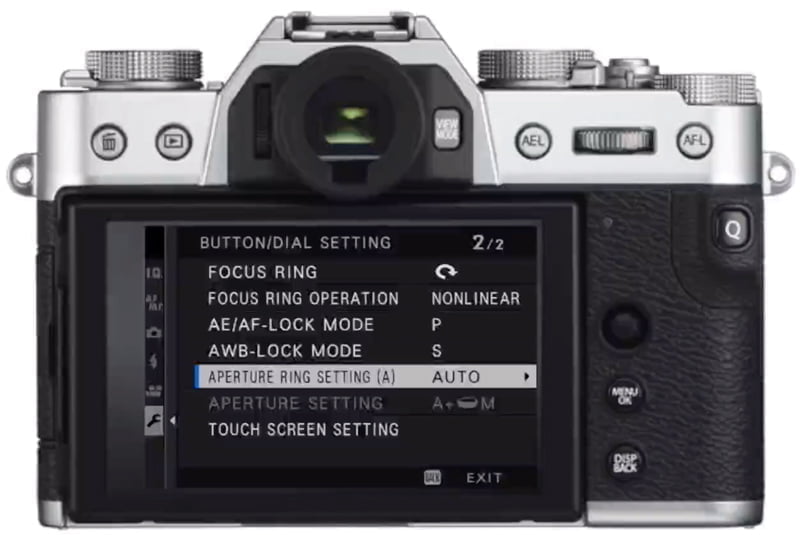
3. APERTURE RING SETTING (A) (for lenses with aperture rings)
This controls what the camera does when the lens ring is set to A.
Options:
- AUTO
- Camera controls the aperture
- The command dial will not change aperture
- COMMAND
- The command dial changes aperture when the lens ring is set to A
- Allows full aperture control from the body
This is useful for photographers who prefer using the command dials over the ring.
How to Change Aperture Using the Lens (Aperture Ring)
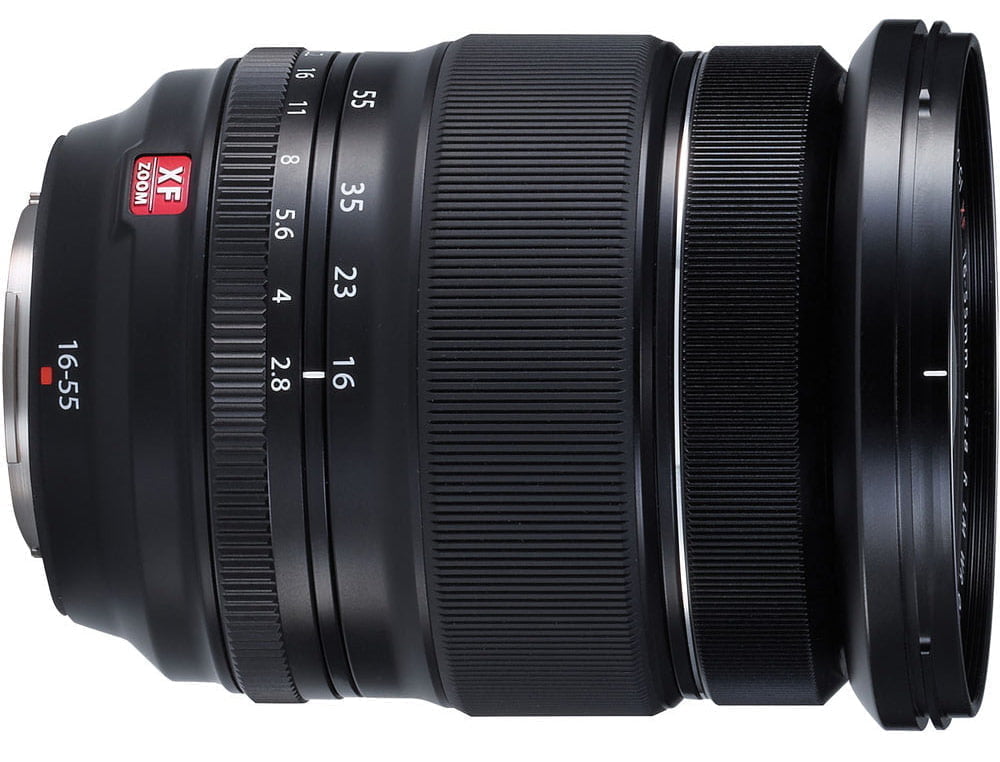
Most Fujinon XF lenses have aperture rings. Depending on the lens, you’ll see:
Lenses With Marked Aperture Rings
These have physical f-number markings plus an A position.
To change aperture:
- Rotate the ring to the f-number you want
- Use A for Auto aperture
These rings are marked in full stops, but each click is in third stops.
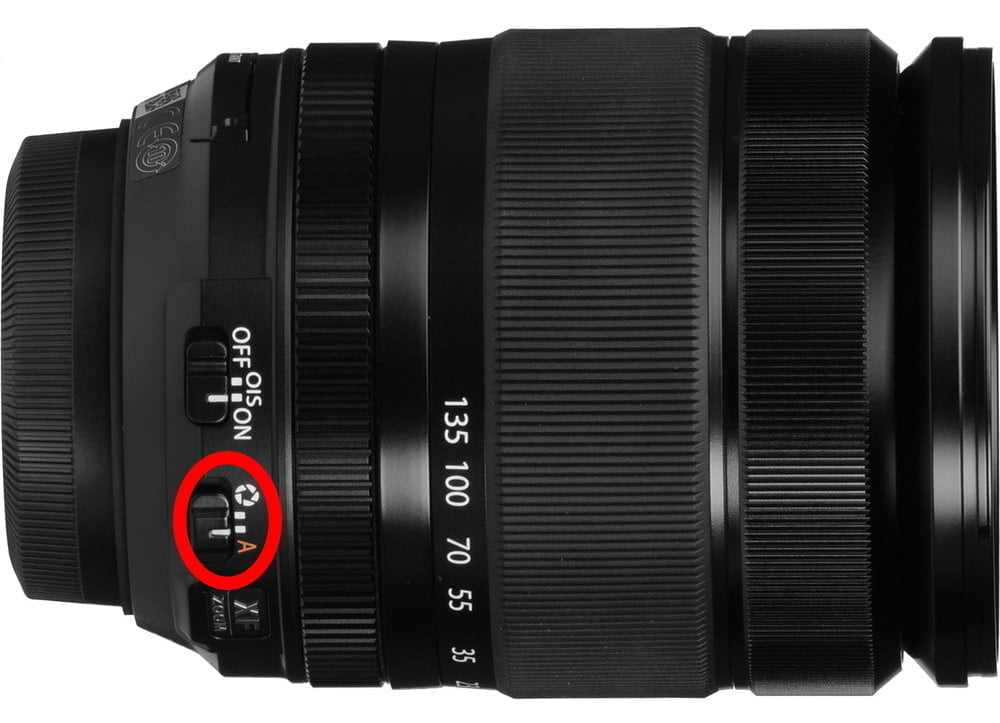
Lenses With Unmarked Aperture Rings
These have:
- A switch with A and an aperture icon
- A smooth ring with no numbers
To change aperture:
- Set the switch to the aperture icon (not A)
- Turn the ring
- The current f-number shows on the display
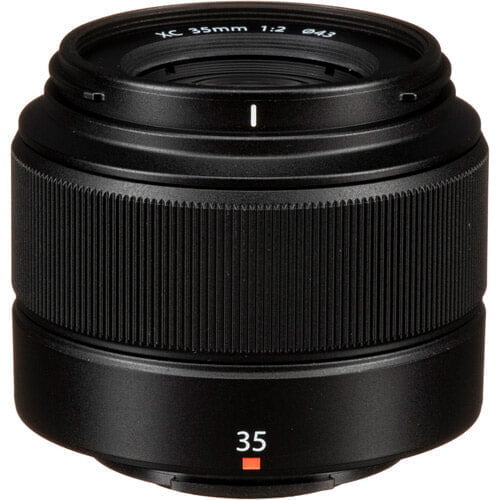
Lenses With No Aperture Ring
Examples: XC15–45mm, XC16–50mm
You must use the command dial for aperture control (see previous section).
GF Lens Note
Some GF lenses include a C position.
- C stands for Command Dial
- Use the camera dials to change aperture when set to C
Knowing When You Can Change Aperture
Here’s a quick checklist:
| Situation | Can You Change the Aperture? | How |
|---|---|---|
| Aperture Priority (A) | Yes | Ring or command dial |
| Manual (M) | Yes | Ring or command dial |
| P, S, AUTO, Scene modes | No | Camera controls aperture |
| f-number is blue | Yes | Lens or dial |
| f-number is white | No | Camera in control |
| Lens ring set to A | Maybe | Depends on Aperture Ring Setting (A) |
| Lens with no ring | Yes | Via command dial |
If you see the half-moon icon, that’s the dial to use.
When You Should Control the Aperture
Changing your aperture impacts:
- Depth of field (how much of the scene is sharp)
- Light entering the lens
- Background separation
- Starbursts, diffraction, flare behavior
To work quickly and fluidly, you need to know:
- Which control changes aperture
- How your lens behaves
- How your camera handles Auto aperture
Once that’s second nature, your shooting gets much faster.
Final Thoughts
Fujifilm gives you multiple ways to control aperture, whether you prefer the aperture ring, the command dials, or a mix of Auto and manual control. Once you understand how your camera and lens work together, changing aperture becomes second nature, and you can focus more on the photo in front of you.
If you want step-by-step help setting up your specific Fujifilm camera, you can browse the full list of Fujifilm courses and tutorials here.
Ewgeniy
Saturday 21st of December 2024
Fujifilm x-t5 why does the lens aperture always work, although the value is set using the aperture ring (Viltrox Pro AF 75 F/1.2). The aperture blades are also always in motion, I point them at the light, they open completely, I cover them with my palm, they close. ))
John Peltier
Sunday 22nd of December 2024
I'm not familiar with that lens, I'm not quite sure what to tell you.
Ewgeniy
Monday 6th of November 2023
Hi. How to specify aperture on fujifilm x-t5 when using a lens without electronics (no contacts).
John Peltier
Monday 6th of November 2023
A manual-only lens? The aperture can only be adjusted on the lens with the aperture ring, and the aperture will not show in the camera display since there is no communication between the lens and the camera.
Micky
Saturday 5th of August 2023
Hi John, Thanks for the article Just wondering if I set my camera in "Portrait" mode can I change a aperture via aperture ring on the len or the camera will take control the aperture anyway?
I am thinking of getting a new len for my Fuji Maybe Tokina 33mm f1.4 (which has aperture ring )or Sigma 30mm f1.4 If the aperture ring on len only works in M or A mode I would go with Sigma coz it cheaper ????
Micky
Tuesday 8th of August 2023
@John Peltier, Thanks John, I just got Sigma 30mm f1.4 and I am so happy with it. It's sharp, fast, and Leigh. Like you said, I could not change aperture in Portrait mode. I found on Portrait mode the aperture is F4.0 at all times and it's fine for me. I get unique Fujifilm soft skin affects and fairly blur black ground just enough to satisfied my girlfriend ????
John Peltier
Sunday 6th of August 2023
Sigma makes good lenses! You can’t control the aperture in Portrait mode - the camera assumes that if you go to that mode, you want to blur your background, so it will open up the aperture automatically to do so.
ALAN KRISTOEFL
Thursday 24th of November 2022
controlling the apeture via the command dial is not working on an xe3. No aperture setting (a) available. lens is 18-55 f2.8-4
John Peltier
Friday 25th of November 2022
Not all cameras have all of these menu options. Try setting Aperture Setting to Auto+Manual and then set the lens aperture switch to A. If that doesn't work, you'll just need to use the aperture ring to change the aperture. I don't recall if Fujifilm added this functionality before or after this gear was released.
Laurence Jones
Monday 2nd of May 2022
Useful article John ! It's a simple task, but it's not always easy to navigate all the options when there are so many variables.
John Peltier
Thursday 5th of May 2022
There are ways to make it easy :)